
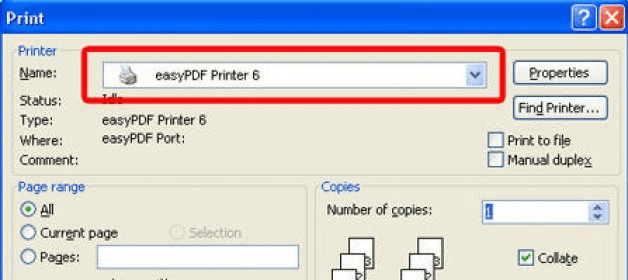
BCL easyPDF Printer Driver is a utility to convert all your documents to PDF in a really easy way. This program will install a printer driver so when you want to convert a document to PDF, you just need to select BCL easyPDF Printer in the Print Dialog Box from your application. For example, if you want to convert a Word Document to PDF, just select Print in you text processor and select BCL easyPDF as your printer. Then you’ll be asked for the name and location of the new PDF file and in a matter of seconds you’ll have your PDF Document created.
It’s easy to create PDF documents with this kind of software because there’s no learning curve and nothing else to learn. You can use it from Microsoft Word, Open Office or other text processor. You can even convert your photos and graphic designs to PDF format by printing them from your favorite application. This is useful to create presentations or photographic catalogues without messing with multimedia software.
You can use it to print your receipts in PDF format when paying online, to back up web content from Firefox, IE, Opera, etc. It’s compatible with any software with Print function, it’s an application for Windows and works fine under Windows Vista. The trial version lets you print any number of documents without page restrictions but there will be a logo and text advertising BCL easyPDF Printer Driver in your document.






Comments